Changing the due date and how the week counter works
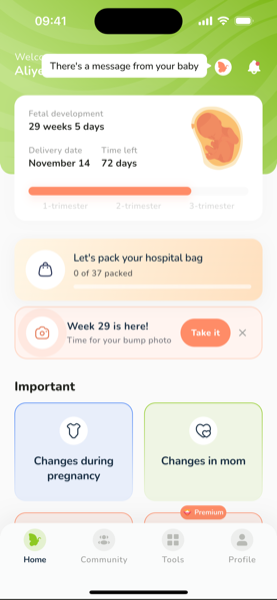
The home screen counts your pregnancy from the date you entered: week and day, days left, the expected date of birth and the baby's size this week.
If the date is wrong
- Open Profile
- In the Pregnancy section, tap Change due date
- Enter the new date — the week, the size card, the weekly tips and the visit schedule update at once
Use the date your doctor gave you after the ultrasound: it's more accurate than counting from the last period.
Near the due date
The counter keeps running through week 40 and up to week 42. The expected date of birth stays fixed — it is calculated from your start date, not from today. From about week 39 the app will ask whether the baby has been born; you can dismiss it and it will ask again a little later.
Was this article helpful?