Cycle tracking: goals, logging a period, the calendar
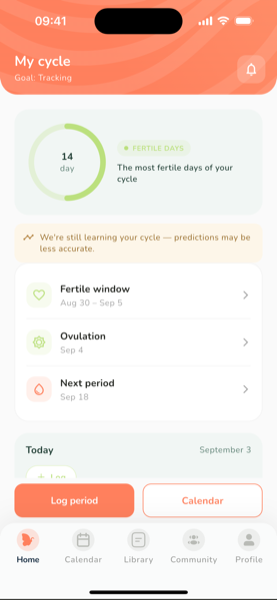
Cycle mode is for the time before pregnancy or after it: it predicts your period, the fertile window and ovulation.
Getting started
- Open Profile and add a Cycle tracking account
- Choose your goal — learn about my cycle, avoid pregnancy or get pregnant. The goal changes which predictions and reminders the app shows
- Enter the start date of your last period and your usual cycle length
Day to day
- Log period — the start date, optionally the end date and flow
- Log today — mood, symptoms, intimacy, basal temperature, ovulation test result
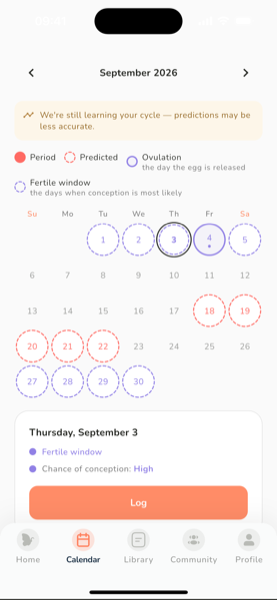
- Calendar — period days, the fertile window and the ovulation day are colour-coded; tap any day to see or edit it
Predictions get more accurate with every cycle you log. Cycle history, trends and exporting to your doctor (PDF/CSV) are part of Premium.
Predictions are estimates, not contraception. If avoiding pregnancy matters to you, use a reliable method as well.
Was this article helpful?